
Finder-style window
Browse Drive like local files, with a familiar Mac layout and interactions.

Google Drive file management built for Mac
Manage Google Drive in a Finder-style window, with fast file actions, multi-account support, and macOS productivity features.
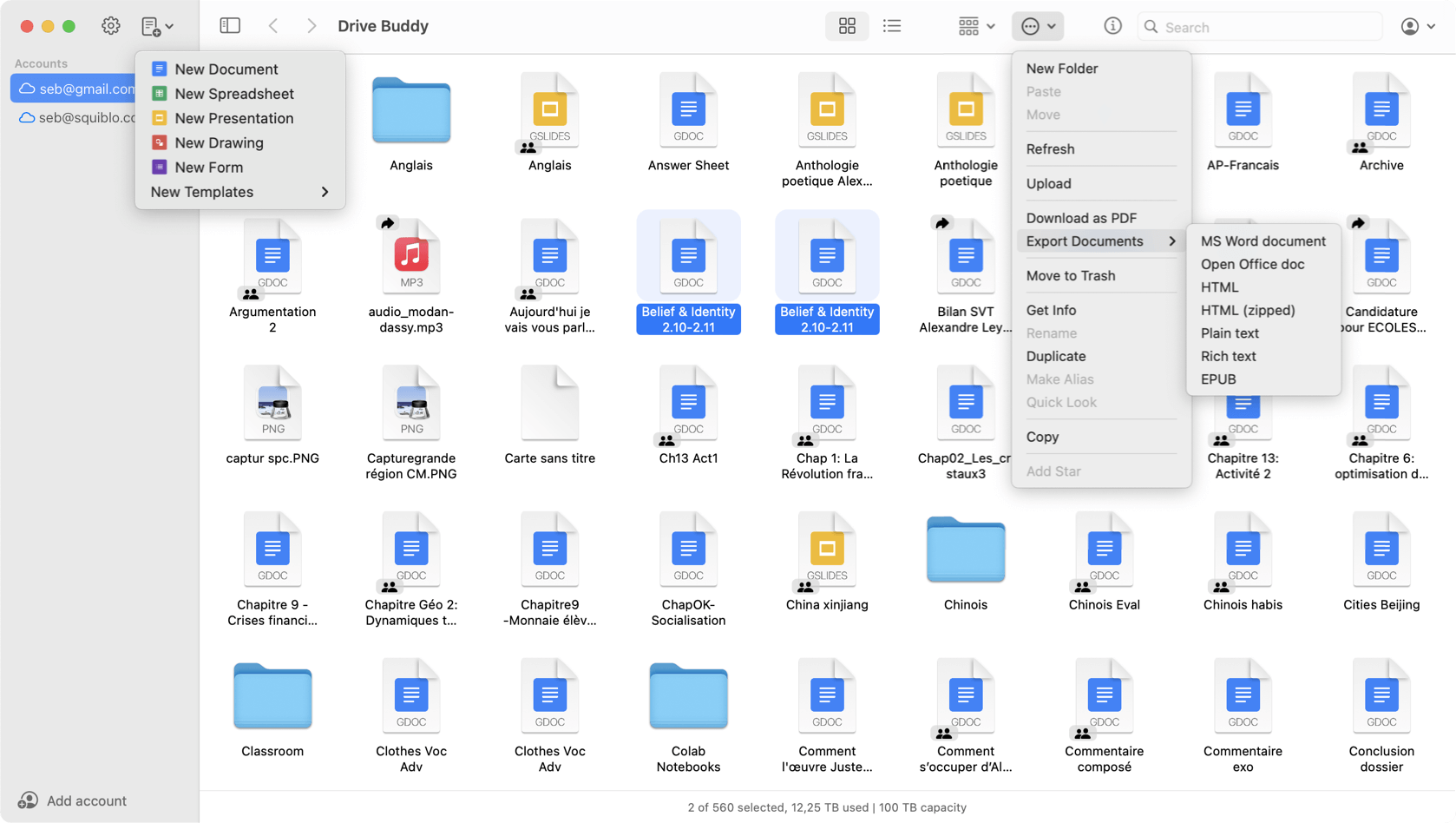
A Mac-first Google Drive experience focused on file management and system workflows.
Drive Buddy is a Google Drive client for Mac that helps you browse and manage Google Workspace files (Docs, Sheets, Slides) in a Finder-style window, without relying on the browser.
Browse Drive like local files, with a familiar Mac layout and interactions.
Use personal and Workspace accounts in one app, switch instantly.
Copy, move, rename, export, upload, and download directly from your Mac.
Open recent, starred, shared, or search from the menu bar.
Use a global shortcut to find files instantly, without switching contexts.
Preview files without opening them, ideal for scanning folders fast.
Pin important files and shortcuts with macOS widgets.
Native drag and drop plus keyboard shortcuts for efficient workflows.
Drive Buddy uses Google’s official APIs and follows Google API usage guidelines. It is annually recertified under Google’s CASA Tier 2 requirements to ensure ongoing compliance and security.
Trademark notice: Google Drive and Google Docs are trademarks of Google LLC. Drive Buddy is developed by Squiblo and is not affiliated with Google LLC.
Drive Buddy is a third-party macOS app developed by Squiblo. It uses Google’s official APIs to access your Drive data securely, but it is not built or endorsed by Google.
Yes. Drive Buddy uses Google’s OAuth authentication and never stores your password. Access is limited to the permissions you explicitly grant, and you can revoke access at any time from your Google account.
Yes. Drive Buddy supports multiple Google accounts, including personal and Workspace accounts, with fast switching inside the app.
Drive Buddy includes a free trial so you can test all features. After the trial, continued use requires a subscription or a lifetime purchase via Apple In-App Purchase.
Drive Buddy focuses on a Mac-first experience. It offers a Finder-style interface, fast file operations, Quick Look, shortcuts, widgets, and menu bar access, without background sync or mirrored folders.
Download Drive Buddy and manage Google Drive the way macOS was designed to work.
Free trial. Download via the Mac App Store.