
Google Drive for Mac
A native Finder-style Google Drive app built for macOS.
Read

Menu bar access
Quick access to Google Drive from the macOS menu bar.
Free trial. Download via the Mac App Store.
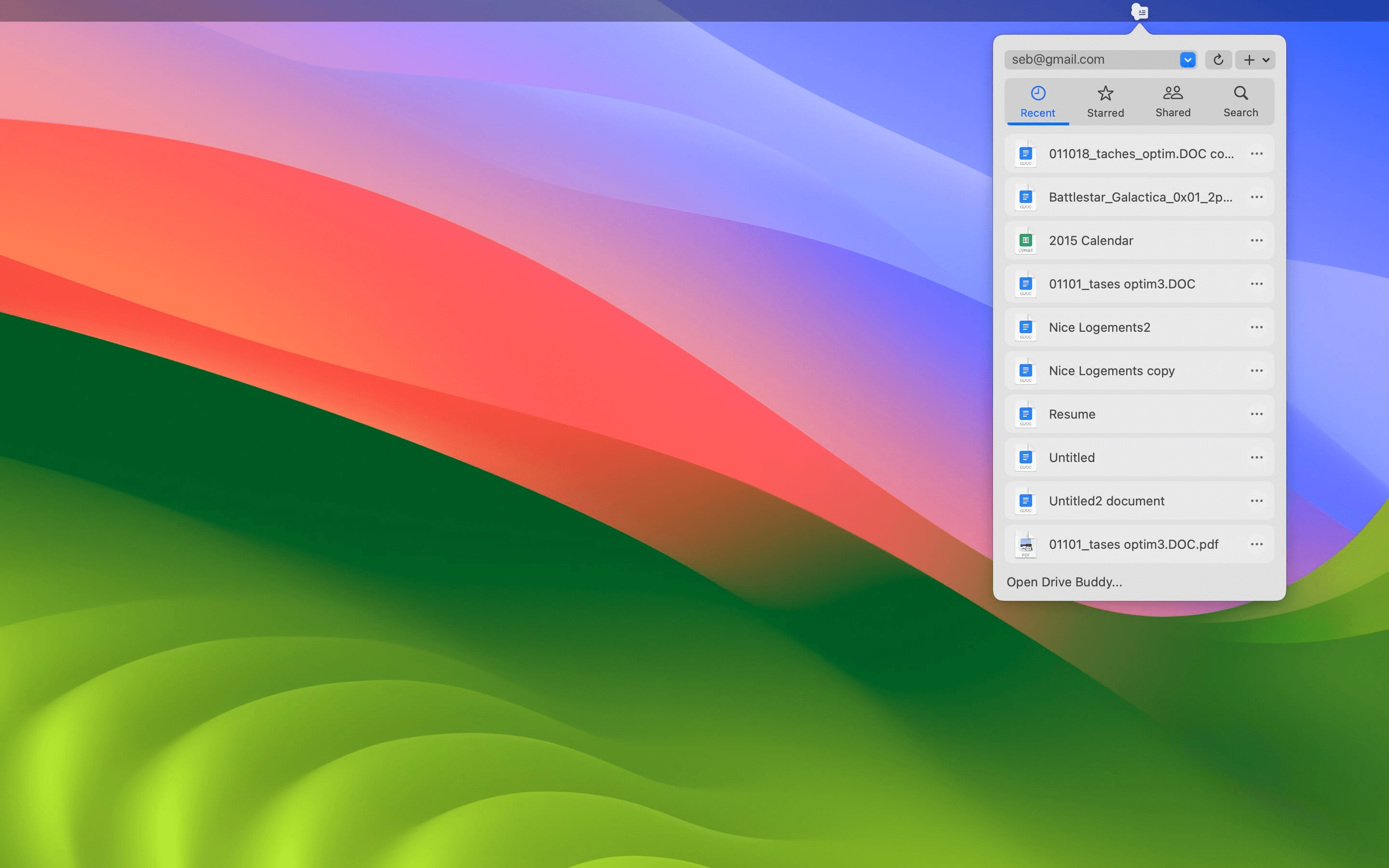
Drive Buddy includes menu bar access for Google Drive on Mac, allowing you to reach your files, recent documents, and search instantly. Instead of opening a browser or a full window, you can work directly from the menu bar using familiar macOS workflows.
macOS users rely on the menu bar for quick access to tools. Drive Buddy brings Google Drive into that space so you can reach Drive without keeping large windows open.
When you are in the middle of multiple tasks, recent items reduce navigation time. Menu bar access makes it easier to open what you were just working on.
Important files are often starred or shared. Menu bar entry helps you get to those items quickly when you need the fastest path to commonly used documents.
Searching from the menu bar reduces context switching. Open results in a Finder-style window when you need more management, and avoid browser tabs for basic retrieval.
The menu bar works best as a quick entry point. Use it for search and fast access, then open the full Finder-style interface for deeper navigation and file actions.
If you use work and personal accounts, the menu bar is a convenient place to enter Drive and switch context quickly during the day.
Menu bar utilities are best when they are fast and simple. Drive Buddy follows that macOS pattern so Drive access stays lightweight and immediate.
If your main need is opening and searching files, the menu bar can replace the habit of leaving a Drive window open all day, keeping your desktop cleaner.
Yes. Drive Buddy includes native menu bar access on macOS, allowing you to open, search, and manage Google Drive files without using a browser.
Yes. Drive Buddy supports multiple accounts and fast switching between them.
No. Drive Buddy focuses on browsing and managing Drive files without mirrored folders or background syncing.
Yes. Drive Buddy supports macOS Quick Look so you can preview many files quickly.
A native Finder-style Google Drive app built for macOS.
Read
Browse Google Drive the same way you browse files on Mac.
Read
Work with multiple Google Drive accounts on macOS.
Read
Preview Google Drive files instantly with Quick Look.
Read
Trademark notice: Google Drive and Google Docs are trademarks of Google LLC. Drive Buddy is developed by Squiblo and is not affiliated with Google LLC.