
Google Drive for Mac
A native Finder-style Google Drive app built for macOS.
Read

Multi-account switching
Work with multiple Google Drive accounts on macOS.
Free trial. Download via the Mac App Store.
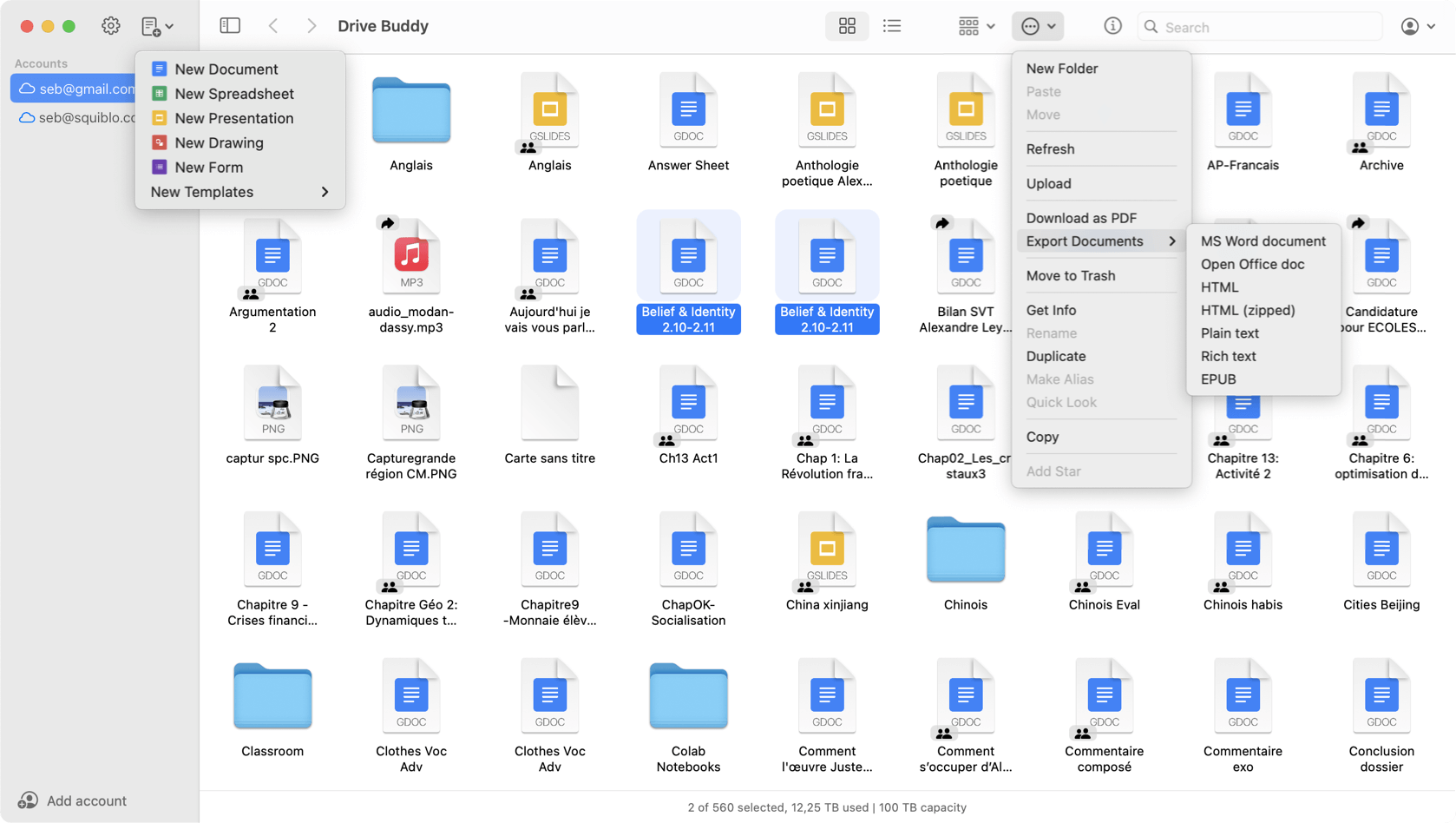
Drive Buddy makes it easy to manage multiple Google Drive accounts on Mac. Keep personal, work, and client Drives separate, switch quickly, and browse each account in a Finder-style interface without living in browser sessions.
Many users have personal Drive storage, a work account, and sometimes client workspaces. Drive Buddy is designed to keep those accounts accessible without constantly switching profiles or signing in and out.
Fast switching helps when you need to grab a document from another workspace mid-task. The workflow is built around staying in one app rather than juggling multiple browser sessions.
Account separation helps avoid mistakes such as uploading to the wrong Drive or editing the wrong workspace. Drive Buddy keeps context clear when you move between Drives.
Each account uses the same Finder-style navigation and file list. This consistency helps you move between Drives without relearning controls.
When you are in the right account, search helps you locate documents quickly. Combined with switching, this supports a rapid retrieval workflow across multiple Drives.
Quick Look previews help confirm you selected the correct document. This is particularly useful when several accounts contain similar folder names or repeated project templates.
Menu bar access can be used as a fast entry point into Drive when you only need a search or recent item, then you can return to your main work immediately.
If you manage multiple clients, agencies, or workspaces, Drive Buddy provides a cleaner routine than keeping many Drive tabs open across browser profiles.
Yes. Drive Buddy supports multiple Google accounts and lets you switch quickly between them.
No. Drive Buddy is designed for fast switching without repeatedly signing in and out.
Yes. Drive Buddy supports Google Drive accounts used for work and personal use, which is common for Google Workspace environments.
Yes. Drive Buddy supports macOS Quick Look previews inside the browsing workflow.
A native Finder-style Google Drive app built for macOS.
Read
A lightweight, native Google Drive client for Mac.
Read
Browse Google Drive the same way you browse files on Mac.
Read
Quick access to Google Drive from the macOS menu bar.
Read
Preview Google Drive files instantly with Quick Look.
Read
Trademark notice: Google Drive and Google Docs are trademarks of Google LLC. Drive Buddy is developed by Squiblo and is not affiliated with Google LLC.