
Google Drive for Mac
A native Finder-style Google Drive app built for macOS.
Read

Lightweight client
A lightweight, native Google Drive client for Mac.
Free trial. Download via the Mac App Store.
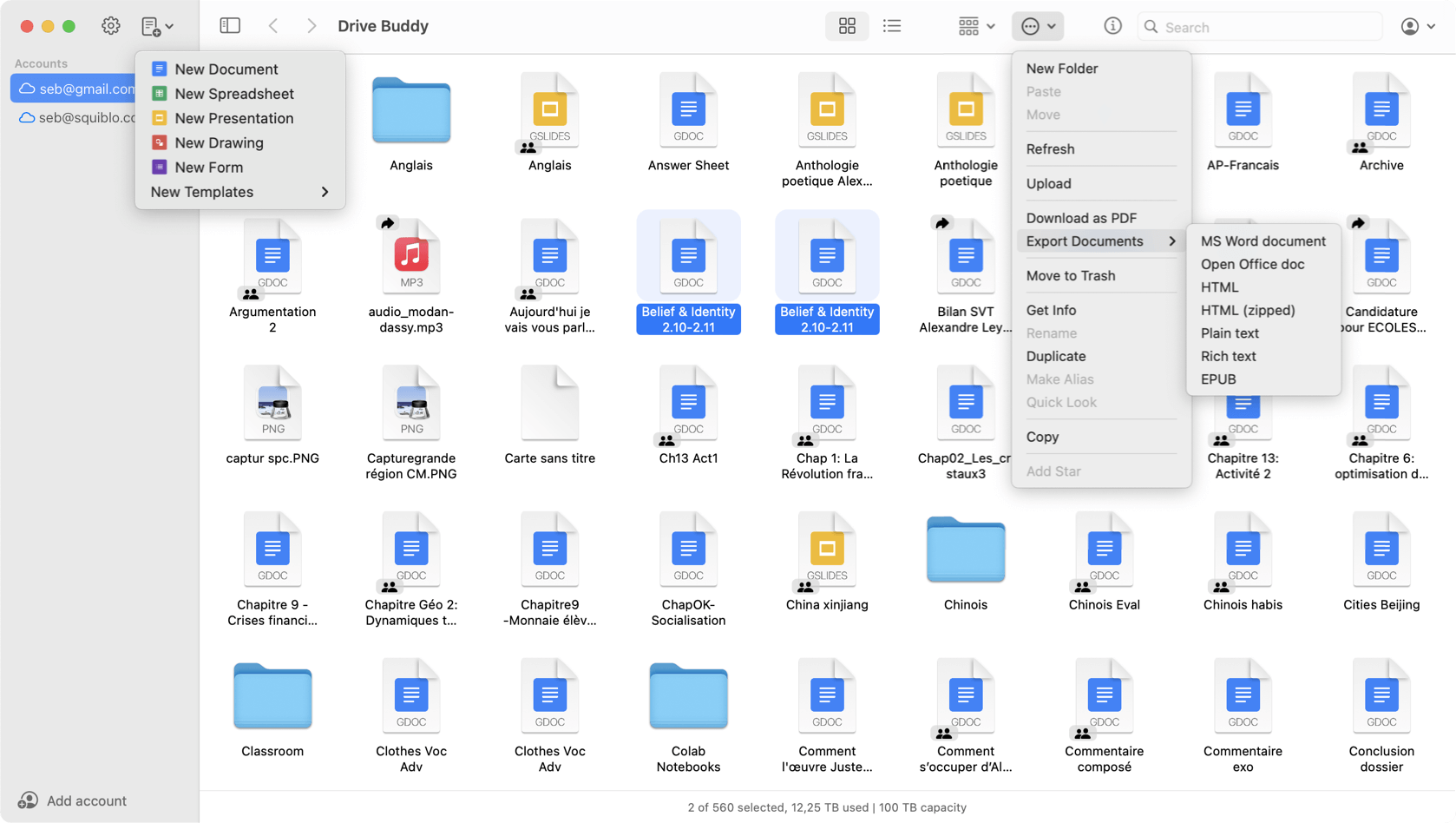
Drive Buddy works as a Google Drive client for macOS, giving you fast access to your Drive files in a Finder-style window. Use familiar file workflows, search quickly, and switch between multiple Google accounts, without mirrored folders or background syncing.
Drive Buddy is built for browsing and managing Google Drive documents on macOS. It is designed for people who want fast access and file workflows without running a background syncing layer.
Drive Buddy presents your Drive in a file-oriented interface with folder navigation and a clear list view. This fits users who prefer browsing cloud storage the same way they browse local files.
Sync solutions can introduce local footprint and ongoing background work depending on configuration. Drive Buddy keeps the workflow centered on browsing and management, without maintaining a mirrored folder structure.
When Drive is large, search is the fastest way to retrieve a file. Drive Buddy is designed to help you search and open items quickly, with less navigation overhead.
If you use more than one Google account, Drive Buddy supports adding accounts and switching quickly. This helps when you move between work, personal, and client Drives.
Previewing before opening reduces mistakes and saves time. Quick Look helps confirm the right file when there are similar names or multiple versions.
For quick retrieval, the menu bar can be faster than opening a full window. Drive Buddy includes menu bar access so you can reach recent items and search quickly.
Drive Buddy is designed for macOS productivity habits, including keyboard shortcuts and common file actions. It aims to feel like a native utility rather than a web interface.
No. Drive Buddy focuses on browsing and managing Google Drive files without mirrored folders or background syncing.
Yes. Drive Buddy is built for macOS and provides a Finder-style interface with macOS features such as Quick Look.
Yes. Drive Buddy supports multiple accounts and fast switching between them.
Yes. Drive Buddy supports macOS Quick Look so you can preview many files quickly.
A native Finder-style Google Drive app built for macOS.
Read
Two different approaches to Google Drive on Mac.
Read
Browse Google Drive the same way you browse files on Mac.
Read
Work with multiple Google Drive accounts on macOS.
Read
Quick access to Google Drive from the macOS menu bar.
Read
Preview Google Drive files instantly with Quick Look.
Read
Trademark notice: Google Drive and Google Docs are trademarks of Google LLC. Drive Buddy is developed by Squiblo and is not affiliated with Google LLC.