
Finder-style Google Drive
Browse Google Drive the same way you browse files on Mac.
Read

Finder-style file management
A native Finder-style Google Drive app built for macOS.
Free trial. Download via the Mac App Store.
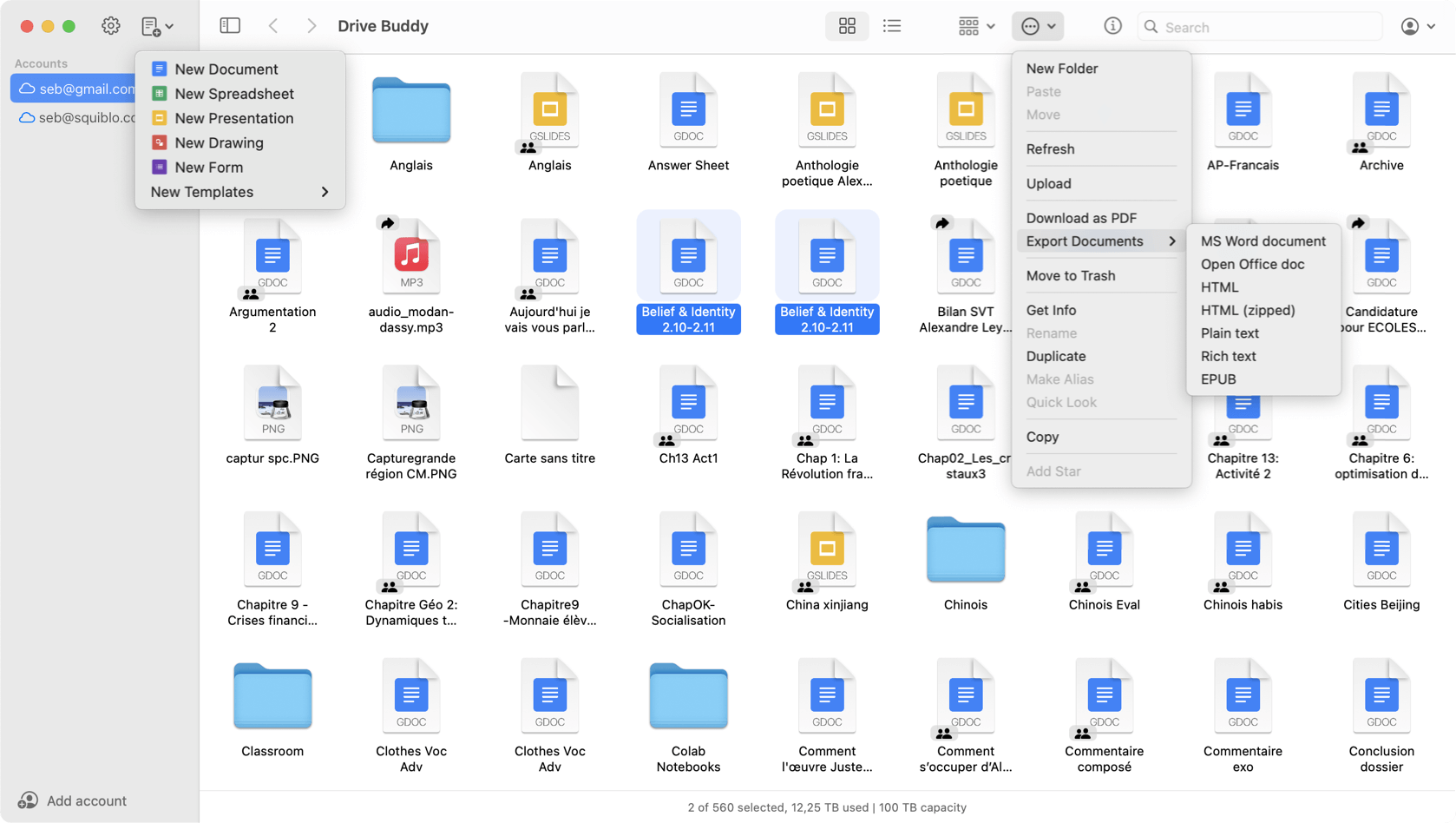
Drive Buddy is a Google Drive app for Mac designed to feel like Finder. Browse Drive folders, manage files, preview documents with Quick Look, and work across multiple Google accounts using familiar macOS navigation instead of a web browser.
Drive Buddy is a macOS app built for people who want Google Drive to behave like a native file manager. It gives you a Finder-style way to browse Drive, open items quickly, and work with documents using Mac conventions instead of a browser tab.
Instead of page based navigation, Drive Buddy focuses on folder and file workflows. The interface emphasizes the kind of browsing Mac users expect, with predictable navigation and a clear file list that stays readable as your Drive grows.
When you know what you need, search should get you there fast. Drive Buddy is designed to help you move from query to opening the right file quickly, which is especially useful for large Drives with deep folder structures.
Many people use multiple Google accounts. Drive Buddy makes it easy to keep Drives separate while staying inside one app, which helps when you move between workspaces throughout the day.
Quick Look previews help you confirm the right file without opening an editor. This is useful for similar filenames, multiple versions, and folders that contain many documents or PDFs.
If you only need a quick search or a recent document, the menu bar is the fastest entry point. Drive Buddy uses menu bar access as a shortcut layer, reducing window clutter while keeping Drive close.
Widgets are useful when you want a small, always available entry to important items. Use them to reduce context switching, especially for documents you open repeatedly.
Drive Buddy is designed around macOS habits, including keyboard shortcuts, drag and drop, and context menus. The goal is a Mac-first experience for Drive browsing and management.
Yes. Drive Buddy is a native macOS app designed to browse and manage Google Drive files with Finder-style navigation and Mac workflows.
Yes. You can add multiple Google accounts and switch between them quickly.
Yes. Drive Buddy supports macOS Quick Look so you can preview many files instantly, similar to Finder.
No. Drive Buddy focuses on browsing and management without mirrored folders or background syncing.
Browse Google Drive the same way you browse files on Mac.
Read
A lightweight, native Google Drive client for Mac.
Read
Quick access to Google Drive from the macOS menu bar.
Read
Preview Google Drive files instantly with Quick Look.
Read
Work with multiple Google Drive accounts on macOS.
Read
Two different approaches to Google Drive on Mac.
Read
A Finder alternative for browsing Google Drive on Mac.
Read
Trademark notice: Google Drive and Google Docs are trademarks of Google LLC. Drive Buddy is developed by Squiblo and is not affiliated with Google LLC.