
Google Drive for Mac
A native Finder-style Google Drive app built for macOS.
Read

Finder alternative
A Finder alternative for browsing Google Drive on Mac.
Free trial. Download via the Mac App Store.
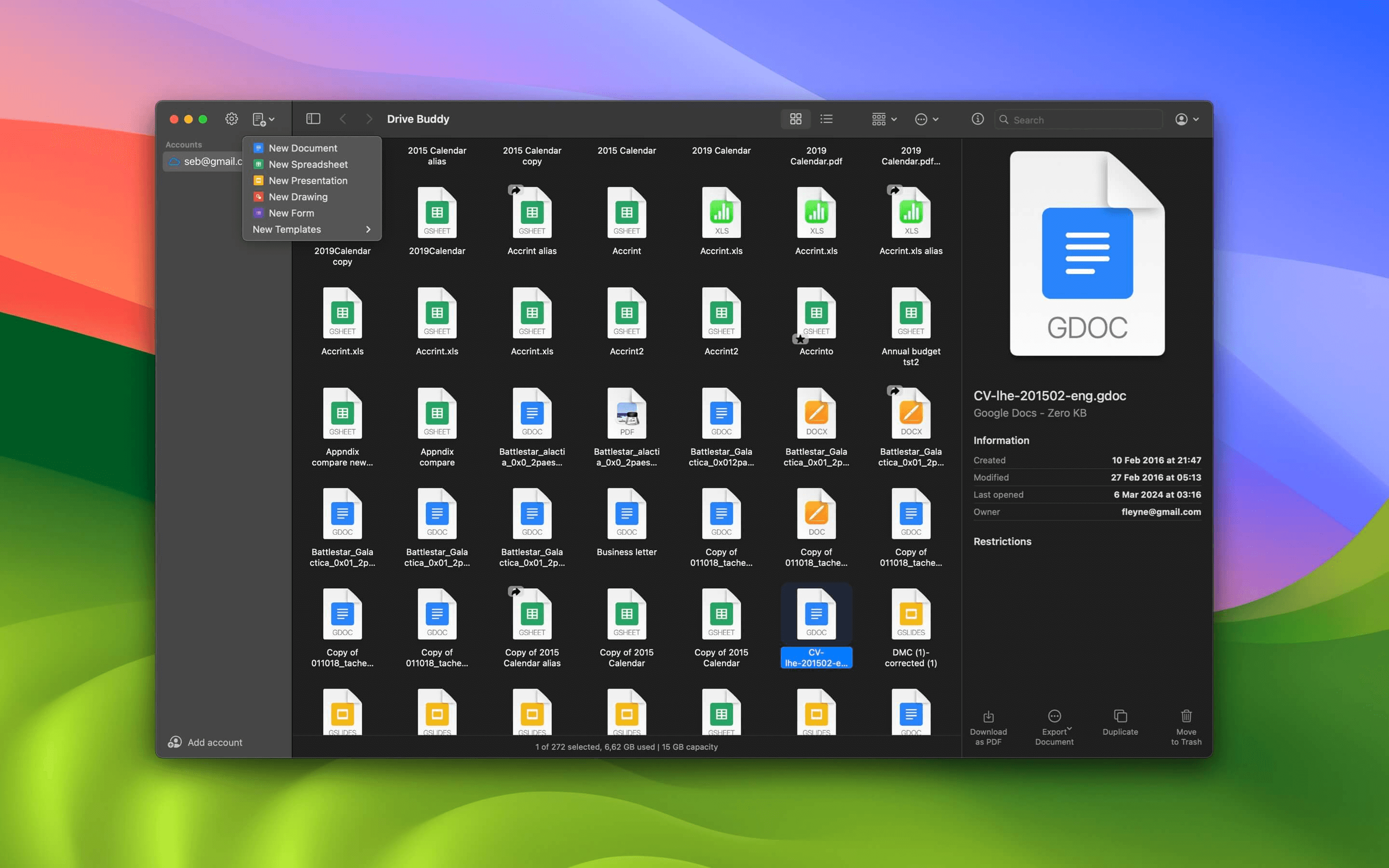
Drive Buddy acts as a Finder alternative for Google Drive on Mac. Browse Drive folders with a Finder-like layout, search quickly, preview files with Quick Look, and manage cloud files using familiar macOS interactions instead of a browser.
If you prefer file based navigation and quick actions, a browser can feel slow for daily Drive tasks. Drive Buddy is designed to feel closer to a file manager, with a Finder-style approach to browsing Drive.
Finder-like navigation keeps your place when you move through folders. This helps when Drive structures become complex and you need a clear path back and forth.
A file manager is only useful if actions are accessible. Drive Buddy is designed around file actions that fit macOS habits, reducing time spent searching for controls.
Many Drive tasks are retrieval tasks. Drive Buddy supports fast search so you can jump straight to a file, which is often faster than browsing deep folder trees.
Quick Look previews help you confirm you selected the right file. This is particularly useful for repeated templates and versioned documents.
Drive Buddy supports multiple Google accounts in one interface, which helps users who manage work, personal, or client Drives without juggling browser profiles.
Use the menu bar for quick search and recent items, then open the full Finder-style interface when you need deeper browsing or file actions.
Drive Buddy is designed to reduce context switching and window clutter. For many tasks, browsing and managing Drive inside a Mac app can feel more efficient than keeping multiple Drive tabs open.
Yes. Drive Buddy provides a Finder-like interface for browsing and managing Google Drive files on macOS.
For many browsing and management tasks, yes. Drive Buddy focuses on navigation, search, previews, and file actions in a Mac-native interface.
No. Drive Buddy focuses on browsing and management without mirrored folders or background syncing.
Yes. Drive Buddy supports macOS Quick Look previews inside the browsing workflow.
A native Finder-style Google Drive app built for macOS.
Read
Browse Google Drive the same way you browse files on Mac.
Read
A lightweight, native Google Drive client for Mac.
Read
Quick access to Google Drive from the macOS menu bar.
Read
Preview Google Drive files instantly with Quick Look.
Read
Work with multiple Google Drive accounts on macOS.
Read
Trademark notice: Google Drive and Google Docs are trademarks of Google LLC. Drive Buddy is developed by Squiblo and is not affiliated with Google LLC.