
Google Drive for Mac
A native Finder-style Google Drive app built for macOS.
Read

Finder-style browsing
Browse Google Drive the same way you browse files on Mac.
Free trial. Download via the Mac App Store.
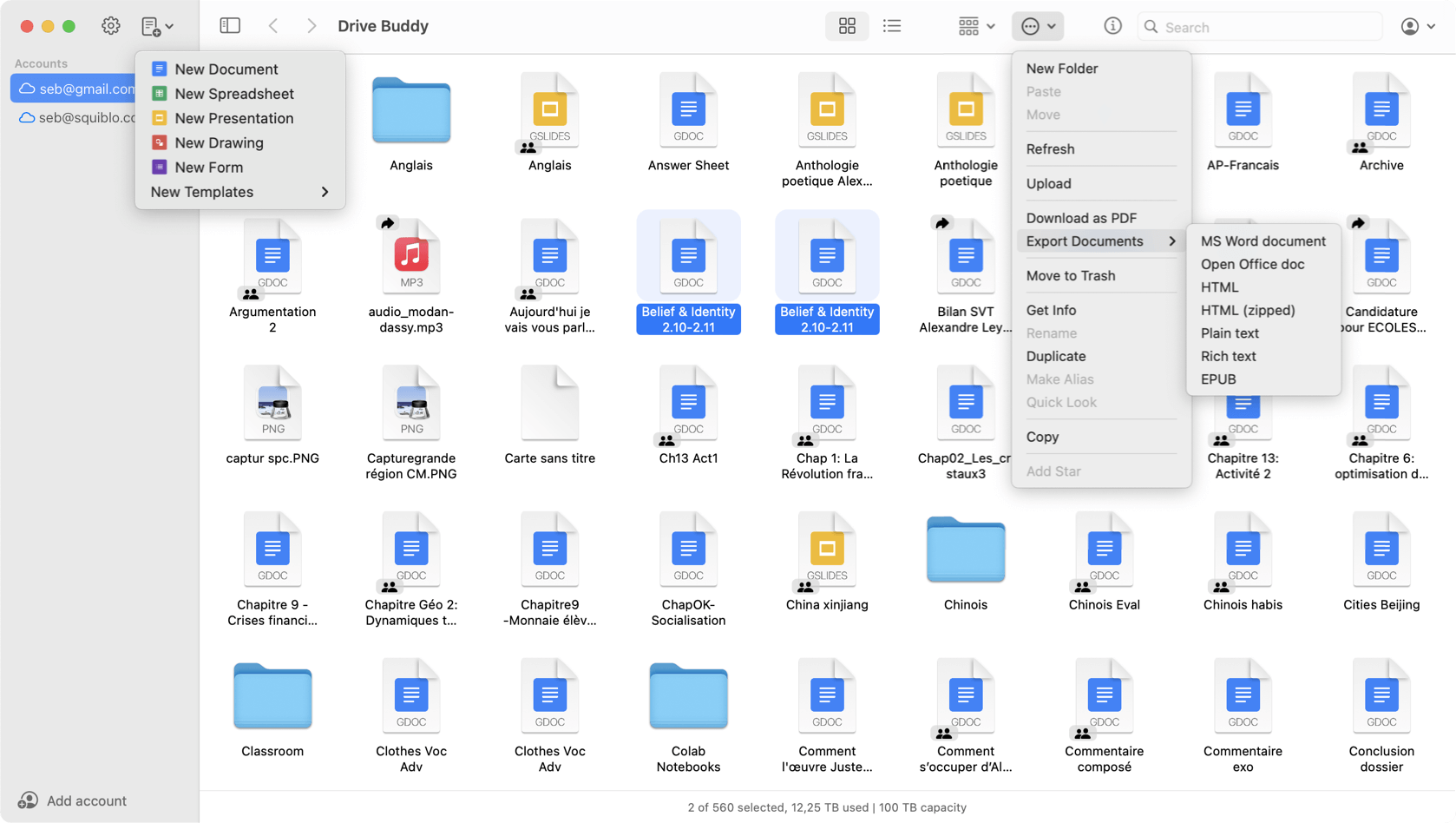
Drive Buddy brings a Finder-style experience to Google Drive on macOS. Navigate with sidebars, use context menus and keyboard shortcuts, preview files with Quick Look, and manage Drive folders with familiar Mac patterns.
Many Mac users think in terms of folders and files, not web pages. A Finder-style Drive interface keeps navigation predictable and reduces friction when you work with Drive every day.
As Drive structures grow, it is easy to lose context in a web UI. Drive Buddy emphasizes clear folder navigation so you can move through hierarchies without losing your place.
Finder users rely on right click and contextual actions. Drive Buddy surfaces common operations in a way that fits file management habits on macOS, reducing hunting for controls.
For users who prefer keyboard driven workflows, shortcuts reduce the time spent on repetitive navigation and opening actions.
Quick Look is most useful when you browse lists of files. Drive Buddy integrates it into Drive browsing so you can confirm content quickly and move on.
Instead of separate browser sessions, Drive Buddy keeps multiple accounts accessible inside one interface, which is useful for multi-workspace users.
Use the menu bar when you only need a quick entry point, then move into a full Finder-style view when you need deeper navigation or management.
Drive Buddy focuses on Mac interaction patterns so working with Drive feels closer to local file management, with less context switching from browser tabs.
Yes. Drive Buddy provides a Finder-style interface for browsing Google Drive folders and files on macOS.
Yes. Drive Buddy integrates with macOS Quick Look so you can preview many files quickly.
No. Drive Buddy focuses on browsing and managing Drive inside the app, without mirrored folders or background syncing.
It can. Drive Buddy is designed to keep navigation clear and efficient when Drive hierarchies become large.
A native Finder-style Google Drive app built for macOS.
Read
A Finder alternative for browsing Google Drive on Mac.
Read
Preview Google Drive files instantly with Quick Look.
Read
Work with multiple Google Drive accounts on macOS.
Read
A lightweight, native Google Drive client for Mac.
Read
Quick access to Google Drive from the macOS menu bar.
Read
Trademark notice: Google Drive and Google Docs are trademarks of Google LLC. Drive Buddy is developed by Squiblo and is not affiliated with Google LLC.