
Google Drive for Mac
A native Finder-style Google Drive app built for macOS.
Read

Quick Look previews
Preview Google Drive files instantly with Quick Look.
Free trial. Download via the Mac App Store.
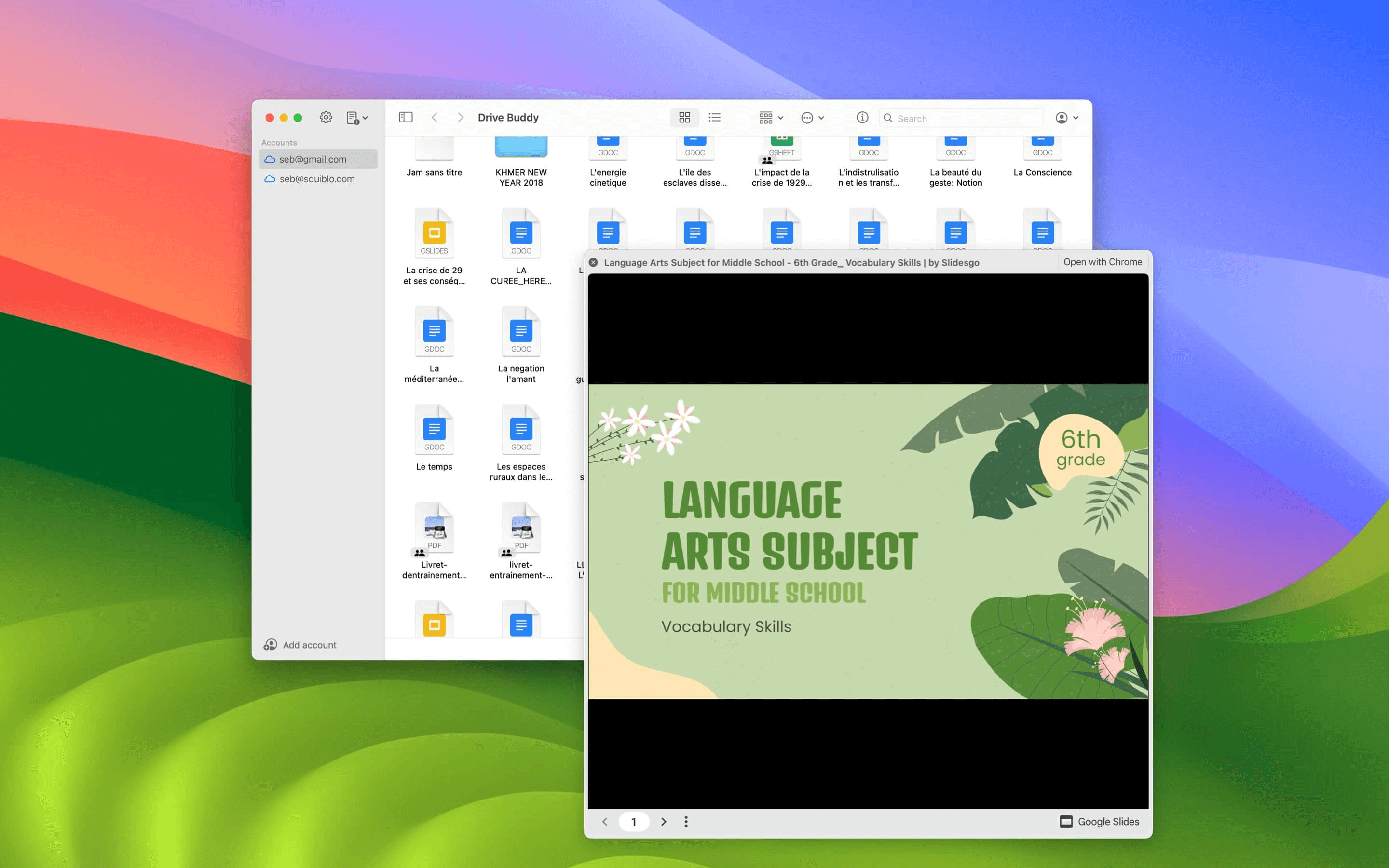
Drive Buddy integrates with macOS Quick Look so you can preview Google Drive files instantly, just like local files in Finder. Select a file, press Space, and preview documents, images, and PDFs without opening separate apps.
Quick Look is one of the fastest ways to inspect files on macOS. Bringing it into Drive workflows helps you confirm content without opening separate apps or losing focus.
Drive Buddy uses a Finder-style list, which makes Quick Look particularly effective. Select a file, press Space, preview, close, then move to the next item quickly.
Many Drive workflows involve scanning PDFs or checking images. Quick Look supports rapid checks when you want to verify content before opening or exporting.
Drive folders often contain multiple versions of a document. Quick Look helps you confirm you have the right file before opening or sharing the wrong one.
Search finds candidates, Quick Look confirms the correct one. This combination is a fast path from discovery to action when time matters.
Quick Look supports a rhythm that is hard to match in a browser. Preview, close, arrow down, preview again, which is ideal for folders that contain many documents.
Mac users already use Quick Look for local files. Drive Buddy extends that habit into Drive browsing, so cloud files feel closer to local file management.
Quick Look is one of the features that makes Drive Buddy feel integrated into macOS. It supports faster decisions and less context switching during browsing.
Yes. Drive Buddy integrates macOS Quick Look so you can preview many Google Drive files instantly.
Select a file in the list and press Space to open Quick Look, then press Space again or Escape to close.
Quick Look supports many common formats such as PDFs and images, depending on macOS support and installed preview extensions.
No. Quick Look previews help you confirm content quickly without opening a separate app.
A native Finder-style Google Drive app built for macOS.
Read
Browse Google Drive the same way you browse files on Mac.
Read
Quick access to Google Drive from the macOS menu bar.
Read
Work with multiple Google Drive accounts on macOS.
Read
Trademark notice: Google Drive and Google Docs are trademarks of Google LLC. Drive Buddy is developed by Squiblo and is not affiliated with Google LLC.