
Google Drive client for macOS
A lightweight, native Google Drive client for Mac.
Read

Syncing vs browsing
Two different approaches to Google Drive on Mac.
Free trial. Download via the Mac App Store.
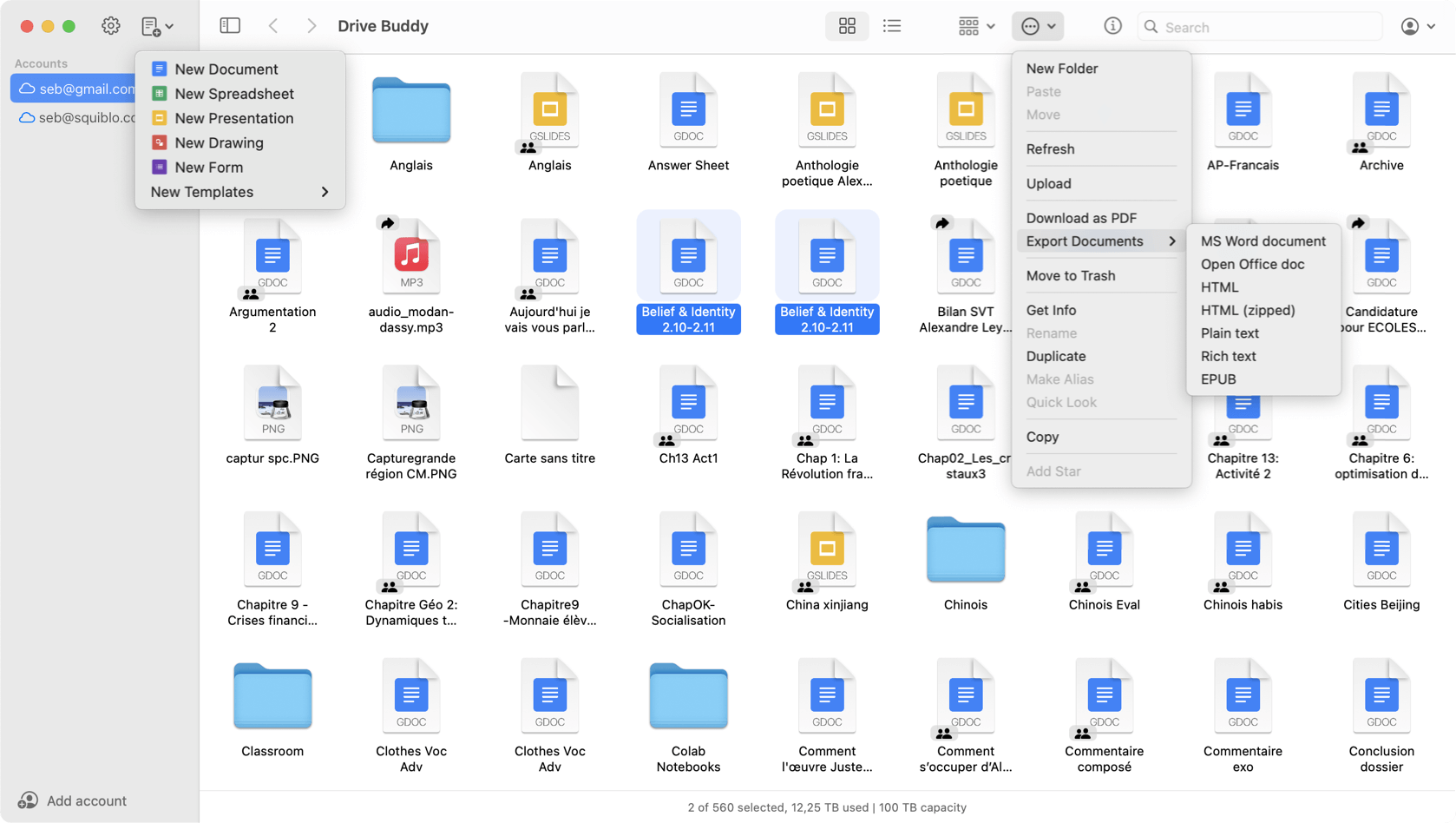
Drive Buddy and Google Drive for Desktop solve different problems. Google Drive for Desktop is built around syncing and a Drive location in Finder. Drive Buddy is built around browsing and managing Drive with a Finder-style interface, without a background sync layer.
Google Drive for Desktop is designed to sync Drive content into a Finder accessible location. Drive Buddy is designed for direct browsing and file management inside a Mac app, without maintaining a synced folder.
If your workflow depends on offline availability and a local Drive folder used by many apps, syncing can be the right fit. This is especially true when you want cloud files to behave like local files everywhere on the system.
If you primarily locate files, open them, manage folders, and move between accounts, browsing can be faster and lighter. Drive Buddy is designed for that access-first workflow.
Sync tools may use local disk space for cached or mirrored data and can run background processes. Drive Buddy avoids mirrored folders and focuses on on-demand browsing and management.
With syncing, you often work through a Drive folder in Finder. With Drive Buddy, you work through a Finder-style interface inside the app, using built in navigation, search, and previews.
Drive Buddy is built for multi-account switching in one interface, which can be useful if you manage work and personal accounts or multiple client Drives.
Drive Buddy emphasizes macOS features that make browsing faster, including Quick Look previews, keyboard shortcuts, and context menus in a file list workflow.
Choose Google Drive for Desktop if you need a synced Drive folder and offline oriented workflows. Choose Drive Buddy if you want a lightweight Mac-native way to browse and manage Drive without background syncing.
They serve different needs. Google Drive for Desktop is a syncing tool, Drive Buddy focuses on browsing and management without background sync.
No. Drive Buddy does not create mirrored folders. It provides Finder-style browsing inside the app.
Drive Buddy is designed for multiple accounts and fast switching inside one interface.
Drive Buddy avoids mirrored folders and background syncing. Sync clients can use local disk and background processes depending on configuration.
A lightweight, native Google Drive client for Mac.
Read
A native Finder-style Google Drive app built for macOS.
Read
Browse Google Drive the same way you browse files on Mac.
Read
Work with multiple Google Drive accounts on macOS.
Read
Quick access to Google Drive from the macOS menu bar.
Read
Trademark notice: Google Drive and Google Docs are trademarks of Google LLC. Drive Buddy is developed by Squiblo and is not affiliated with Google LLC.